
📅 Schedule Time for Your Tasks Directly in Google Calendar

TL;DR: You can now book specific times for your "Google Tasks" directly in the calendar. Instead of just having a list of tasks, you can now block time to complete them. This helps you structure your day and protect your time from other meetings. The feature is rolling out to all Google Workspace customers right now.
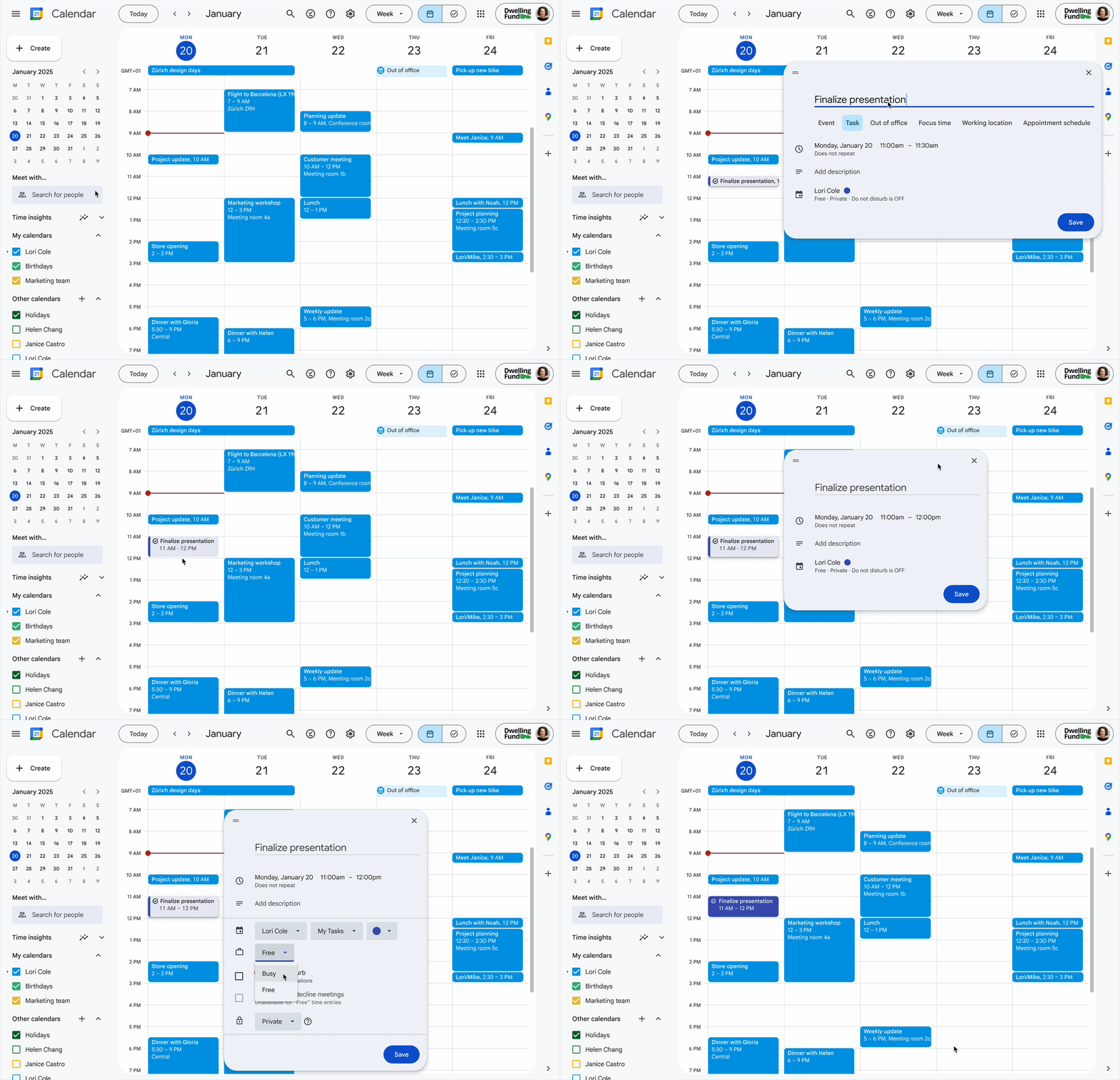
From To-Do to "When Will I Do It?"
We are used to using Google Tasks to remember what to do. The problem has often been finding the time. A long list of tasks tends to get pushed back when meeting invitations start rolling in.
With the new update, Tasks is integrated deeper into Calendar. You can now schedule a task as a time block, just like a meeting.
How It Works
It is super simple to get started. When you create or edit a task in Google Calendar, you now see the option to add a specific time and duration.
✅ Book your time: Don't just choose a date, but a start and end time.
🛡️ Protect your focus: When you book time for a task, that time is marked as busy in your calendar (if you want). This means colleagues see that you are busy, reducing the risk of double bookings.
🔄 Flexibility: If you don't finish in time, you can easily drag and drop the block to a new time, just like with regular events.
Why Is This a Game-Changer for Productivity?
"Time blocking" is a well-known method for increasing efficiency.
Realistic planning: You see immediately how much time you actually have available during the day.
Increased focus: By dedicating time to a specific task, you reduce transition time and fragmented focus.
Visibility: It becomes clearer for both you and your team when you are working focused on deliverables rather than sitting in meetings.
Who Gets Access?
The feature is rolling out to all Google Workspace customers as well as users with personal Google accounts. It doesn't matter if you have Business Starter or Enterprise Plus. Everyone gets the opportunity to take control of their time.
Do you want tips on how to work smarter with Google Workspace and better manage your work schedule? We at Adapty help you optimize your workflows.
📧 Contact us at sales@adapty.se
🌐 Visit us at www.adapty.se

